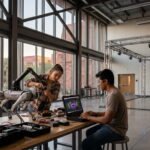
For most of the last decade, serious AI computing was something students read about rather than touched. The hardware was expensive, the queues for shared supercomputers were long, and the learning curve was steep enough to scare off anyone outside a computer science lab.
Arizona State University is trying to change that with the ASU AI Research Acceleration Platform, usually shortened to the AIR Platform. As of late 2026, ASU says its entire student body can reach AIR-powered models through the university’s CreateAI toolkit, while researchers and course participants can go deeper through the Sol supercomputer.
This guide explains what AIR actually is, how it came together, and the specific routes students can use to get started. It also covers what the platform is good at, what it is not designed for, how to use it responsibly, and what to do if you want to build something real on top of it.
Everything here is based on ASU’s own announcements and service pages reviewed in November 2026. Access rules at universities change, so treat the practical steps as a starting point and confirm details with ASU’s Research Technology Office before you plan a project around them.
What Is the ASU AI Research Acceleration Platform (AIR)?
The AIR Platform is a universitywide initiative led by ASU Knowledge Enterprise, the university’s research and innovation arm. Its stated purpose is to remove barriers to advanced computing and to broaden AI adoption and literacy among researchers and, increasingly, students.
ASU describes it as a secure, open-access framework. In practical terms, it pairs a large donation of AI accelerator hardware from Intel with the university’s existing Sol supercomputer and connects the combined capacity to tools that people on campus already use.
That last part is what makes AIR different from a typical computing upgrade. Instead of asking every student to learn job schedulers and command-line tools first, ASU wired the new capacity into a friendly front door: CreateAI Builder.
The short version
- What it is: A campus-hosted pool of AI computing capacity that powers selected open-source models.
- Who runs it: ASU Knowledge Enterprise, with the Research Technology Office (RTO) and Research Computing doing much of the day-to-day work.
- Where the hardware came from: A multimillion-dollar Intel donation, combined with the existing Sol supercomputer.
- How students reach it: Mainly through CreateAI, plus classroom tools and course-based accounts on Sol.
- Why it matters: It offers fast, private, on-campus AI processing without sending university data to outside providers.
Quick Fact: ASU News reported in October 2026 that CreateAI had already supported more than 300,000 queries from the ASU community through AIR, and that over 500 ASU researchers were using the platform.
How AIR Came Together: A Short Timeline
AIR did not appear overnight. It sits on top of years of investment in research computing at ASU, and the Intel donation was the catalyst that turned a supercomputing upgrade into a campus-wide platform.
| When | What happened | Why it matters |
|---|---|---|
| 2020 | ASU is named a Dell Technologies High Performance Computing and Artificial Intelligence Center of Excellence. | Created the partnership that later helped design Sol. |
| 2022 | ASU announces the Sol supercomputer, built with Dell Technologies. | Gave the university a modern GPU-rich research system. |
| 2023 | Sol ranks among the world’s top-performing supercomputers on the Top500 list. | Confirmed Sol as a serious national-scale resource. |
| April 2026 | ASU announces a multimillion-dollar Intel hardware donation and introduces the AIR Platform. | Expanded capacity up to tenfold and created the platform framework. |
| April 2026 | AIR becomes available through CreateAI Builder for researchers and staff. | Gave people a no-terminal route to powerful models. |
| Late summer 2026 | Students, faculty and staff build AIR-powered apps in a hackathon-style Spark Challenge. | First large student-facing test of the platform. |
| October 2026 | ASU announces that all students can access AIR through CreateAI. | Moved AIR from a research tool to a campus-wide resource. |
The pace is notable. By ASU’s own account, breakthroughs in research, education and institutional innovation were already underway in under six months after the platform launched.
The Technology Behind AIR
You do not need to be a hardware expert to use AIR, but a basic picture of the pieces helps you understand its strengths and its limits.
The Intel AI accelerator donation
The core of the expansion is a large set of AI accelerator chips donated by Intel. ASU says the donation can expand university processing power up to tenfold, though that figure describes the upper end of the expansion and applies to the university’s overall capacity for these workloads rather than to any single user’s allocation.
The chips are housed in a nearby data center. ASU describes the system as a regional cloud offering, which matters because it means the university manages the hardware and the data that flows through it.
The Sol supercomputer
Sol is ASU’s flagship research supercomputer, designed and built with Dell Technologies and announced in 2022. According to current Research Computing documentation, it has more than 21,000 CPU cores based on AMD EPYC processors and over 200 GPUs, including NVIDIA A100 and H100 models.
The documentation also lists high-memory nodes, ARM-based Grace Hopper nodes and some FPGA hardware. Before the Intel donation, the NVIDIA GPUs formed the backbone of ASU’s AI capability.
Why two kinds of hardware are better than one
Adding a different class of accelerator did more than add raw capacity. ASU’s Research Technology Office has explained that it lets the university move generative AI workloads, such as chat-style model serving, off the traditional supercomputer. That frees Sol’s GPUs for other computationally heavy research.
For a student, the benefit is indirect but real. Generative AI traffic no longer competes as hard with simulations, training runs and other jobs that need the same GPUs.
The software layer: CreateAI Builder
CreateAI is ASU’s flagship AI toolkit. Its Builder component lets people assemble custom AI experiences by choosing a model, adding instructions and attaching their own knowledge bases. ASU reports that more than 55,000 members of its community use CreateAI Builder, and in April 2026 it reported more than 8,000 custom AI experiences built with it for academics, research and operations.
AIR plugs into Builder as a model source. Select models, including Google’s Gemma 4, are powered by AIR, which means a student can build on capacity that lives on campus without ever touching the underlying servers.
Important: AIR is not a single app or website. It is infrastructure that powers certain models and tools. You reach it through the doors ASU provides, most commonly CreateAI Builder, rather than through a standalone “AIR login.”
Why AIR Matters for Students
It is fair to ask whether another university computing announcement changes anything for an ordinary student. In this case, several things are genuinely different.
Access without a computing background
Traditional high-performance computing demands comfort with Linux, job scheduling and package management. AIR’s CreateAI pathway removes much of that overhead. ASU’s own news coverage emphasizes that the platform lets people conduct science in new ways without the steep learning curve of computer science.
Privacy by design
When a student pastes a draft, a dataset or a set of lecture notes into a public AI service, that material leaves the university’s control. AIR keeps processing inside ASU’s governed digital environment, and ASU states that information does not leave the campus ecosystem.
The winning Spark Challenge team made this point explicitly: their accessibility tool processed course material entirely through AIR’s on-campus gateway, so no student or faculty material reached an outside model.
Speed under load
ASU says the added capacity enables quicker response times even when many people send prompts at once. That matters in classrooms, where thirty students may all run the same exercise within the same few minutes.
Real skills for the job market
Working with open-source models, building custom assistants and benchmarking different accelerators are tasks employers care about. ASU frames the platform as a way to give students hands-on experience with technology that is shaping the modern workforce.
Lower financial barriers
Before platforms like this, comparable computing often meant renting cloud GPUs or waiting for time on national supercomputing centers. ASU notes that AIR lets researchers privately pursue projects in-house that would previously have required expensive, in-demand national systems.
Expert Tip: Think of AIR as a campus practice ground. Learning to build and evaluate a model-powered tool inside ASU’s governed environment is lower risk for your data than learning the same lessons on an outside service. Check with ASU on any usage limits that may apply to you.
The Two Main Doors Into AIR
ASU’s materials describe two practical ways for students to reach advanced AI computing. They overlap, but they serve different needs, and picking the right one saves a lot of frustration.
| Feature | CreateAI Builder path | Sol supercomputer path |
|---|---|---|
| Best for | Building custom assistants, class projects, quick prototypes | Research workloads, model experiments, coursework needing notebooks and code |
| Skill level | Beginner-friendly, no command line needed | Intermediate to advanced, with guided onboarding |
| Who can use it | ASU students, according to ASU’s October 2026 announcement | Faculty and research staff directly; students through a faculty sponsor or a course |
| How you sign in | Through your ASU credentials in CreateAI | Through a Research Computing account that uses your ASURITE login |
| Setup effort | Minutes | Account request, approval and an onboarding consultation |
| Flexibility | Limited to the models and options CreateAI exposes | Much wider: your own code, notebooks, installed libraries and multiple models |
| Data handling | Processed inside ASU’s governed environment | Processed on ASU-managed supercomputing resources |
A useful rule of thumb: if your goal is to build or test an AI-powered experience, start with CreateAI. If your goal is to run code, train or fine-tune something, or analyze a large dataset, you probably need Sol.
Path One: Reaching AIR Through CreateAI
This is the route ASU highlights as the newest and most accessible. It is where most students should begin.
What you need before you start
- An active ASU student account and ASU credentials.
- A clear idea of what you want the assistant or tool to do.
- Any documents or notes you want it to draw from, if you plan to use your own knowledge base.
Step-by-step: building your first AIR-powered project
ASU’s published guidance for researchers and staff describes the workflow below, and the October announcement indicates students can use the same toolkit. Menu labels may change as the product evolves, so use this as a map rather than a script.
- Open CreateAI. Go to ASU’s AI portal and sign in with your ASU account. The CreateAI Builder overview lives on the ai.asu.edu site.
- Launch Builder. Choose the Builder tool, which is the part of CreateAI designed for assembling custom AI experiences.
- Start a new project. Select the option to create a “New AI Project.”
- Choose an AIR-powered model. In ASU’s April 2026 instructions, the model to pick is Gemma4 31B IT, which is designated as ASU AIR. Look for that label or similar AIR designations in the model list.
- Write clear instructions. Tell the assistant what role it plays, what it should do, and what it should avoid doing.
- Add your knowledge base. Attach documents or data you want the assistant to rely on. Only upload material you are allowed to use.
- Test with realistic questions. Try normal requests and awkward ones. Note where the output is wrong, vague or too confident.
- Refine and repeat. Adjust instructions and sources until the behavior matches your goal.
Pro Tip: Keep a simple test sheet with ten to fifteen realistic questions and the answers you expect. Re-run it every time you change your instructions. It is the fastest way to tell whether a change actually helped.
What CreateAI Builder offers
According to ASU, Builder offers a curated selection of leading open-source language models and tools, including Google’s Gemma and Meta’s Llama Scout. Connecting those models to AIR’s expanded capacity lets people build custom experiences using their own knowledge bases, data and instructions.
Not every model in the list runs on AIR. ASU says select models are AIR-powered, so check the labels before assuming a model is hosted on campus hardware.
Good first projects for CreateAI
- A study assistant trained only on your own lecture notes and readings.
- A rubric checker that compares a draft against an assignment’s grading criteria.
- A club or student-organization FAQ assistant that answers common questions.
- A document summarizer for long readings, with a clear rule to flag uncertainty.
- A prototype for a campus service idea you want to pitch.
Common Mistake: Treating an assistant’s confident tone as evidence of accuracy. Models can state wrong information fluently. Always verify facts, quotes and citations against the original sources before submitting anything.
Path Two: Reaching AIR-Related Computing Through Sol
The second route is more powerful and more demanding. It goes through ASU Research Computing and gives you a real supercomputing environment, including open-source models you can run directly.
Who can get an account
ASU’s Research Technology Office explains that faculty and research staff may request supercomputer accounts directly. Students and other non-faculty users must be sponsored by an ASU faculty member.
For coursework, there is a second option. Students can access AI applications on Sol if their instructors request student accounts from Research Computing, which provides AI computing support for academic courses.
Step-by-step: getting started on Sol
- Find a sponsor or confirm your course. Ask a faculty member to sponsor you, or check whether your instructor has already requested course accounts.
- Submit the access request. The request goes through ASU’s page for requesting access to the supercomputers. Accounts use your ASURITE login and password.
- Wait for approval. You will receive onboarding instructions and access credentials once the account is approved.
- Schedule a consultation. Research Computing offers a walkthrough covering web portal access, launching a Jupyter Notebook and choosing the right tools.
- Work in a prepared environment. For courses, Research Computing pre-configures several Python environments and ready-to-use Jupyter notebooks integrated with AI models, so instructors and students avoid most software setup.
- Attend a training session. Workshops and flagship events can fill the gaps that a consultation leaves.
Important: Sponsorship is not a formality. It ties your account to a faculty member, so choose a sponsor who knows what you plan to run and is willing to vouch for it, and ask them what expectations come with sponsoring you.
Using Jupyter notebooks
A Jupyter Notebook is an interactive document where you write and run code in small chunks and see results immediately. It is the most common way beginners interact with Sol, and it is also how AIR reaches several classrooms.
ASU reports that two courses in the fall 2026 term, one in The College of Liberal Arts and Sciences and one in The GAME School, use Jupyter Notebook connected to AIR to power the learning experience.
The open-source models available on Sol
ASU’s Research Technology Office publishes a list of open-source models that are freely available to ASU researchers on Sol. The page was updated in October 2026, and model lists tend to change frequently, so verify the current version before you plan around any specific one.
| Model | Best known for | Notes from ASU’s listing |
|---|---|---|
| Whisper | Speech-to-text transcription | Multiple sizes from Tiny to Large; smaller versions are faster, larger ones more accurate. |
| Qwen3-Coder-30B-A3B-Instruct | Coding and software engineering | 30B mixture-of-experts model with roughly 3B active parameters and a 256k context window. |
| OLMo 3.1 32B Instruct | Open, reproducible research | Trained on transparent datasets; 128k context window. |
| Gemma 4 | Multimodal reasoning and coding | Available in 26B and 31B variants; 256k context window. |
| DeepSeek V4 Flash | Advanced reasoning and agentic workflows | Needs more GPU resources; context window listed as 128k to 256k. |
| Qwen3.6-27B | General-purpose research assistance | ASU suggests it as a strong default for many projects. |
| Qwen3-VL-2B Instruct | OCR and document understanding | Lightweight vision-language model with a 128k context window. |
| MiniMax-M2 | Coding and tool-using agents | Mixture-of-experts model with a 200k context window; needs more GPU resources. |
Two terms in that table are worth unpacking. Parameters are the internal numbers a model learns during training, and more of them generally means more capacity to capture complex patterns. A context window is how much text the model can consider at once, which affects how well it handles long documents.
A mixture-of-experts design activates only a portion of the model for each piece of text. That is why a model can have 30 billion total parameters but only around 3 billion active at a time, which makes it cheaper to run.
Other tools installed on Sol
Beyond language models, ASU lists a set of AI-oriented tools on Sol, including MONAI for medical imaging, AlphaFold3 for protein structure prediction, and the TensorFlow and PyTorch machine learning frameworks.
If your interest is biomedical AI, structural biology or deep learning in general, these tools are part of why the Sol route can be worth the extra setup.
How AIR Protects Data and Privacy
Privacy is one of the strongest selling points of the platform, and it is also an area where students sometimes make wrong assumptions.
What ASU says AIR does
ASU states that AIR is housed within its governed digital environment and that information does not leave the campus ecosystem. Because the university manages the platform as a regional cloud offering, it can protect and manage the data flowing through it.
Running open-source models locally on Sol serves a similar purpose. Research Computing notes that researchers can use these models to examine locally stored datasets without uploading them to outside cloud services.
What AIR does not automatically do
- It does not replace the rules that govern your data. If a dataset has legal or contractual restrictions, those still apply.
- It does not make every dataset suitable for every environment. ASU separates its systems: Sol and Phoenix are public clusters, while Aloe is part of the KE Secure Cloud environment built for sensitive and regulated data such as HIPAA and FERPA data.
- It does not guarantee that model outputs are correct, unbiased or safe to publish without review.
Warning: Do not upload sensitive, regulated or personally identifiable information to any AI tool, including campus ones, unless the project has been approved for that data type. When in doubt, ask Research Computing before you upload.
The university-managed OpenAI API
ASU’s Research Computing team also offers access to a university-managed OpenAI API for researchers who need proprietary models while keeping their data private and owned by ASU. Earlier versions of ASU’s page describe an initial no-cost trial period, after which researchers pay for continued use.
That arrangement is aimed at researchers and project owners, so students should talk with their faculty sponsor before assuming it applies to them.
Real Examples of AIR in Action
The most convincing evidence that a platform works is what people have built with it. ASU has highlighted several projects, and each one shows a different side of the platform’s capabilities.
An accessibility tool that won the Spark Challenge
The AIR Spark Challenge was a hackathon-style event where mixed teams of students, faculty and staff built apps inside CreateAI Builder powered by AIR. ASU’s event listing describes a virtual, 48-hour format with teams of three or four people and a jury pitch at the end.
The top prize went to two computer science master’s students, Saisrivathsan Manikandan and Shrey Bishnoi. Their tool automatically writes alt-text descriptions for every image in a PowerPoint file and saves them into the document once the system is confident the description is accurate.
Anything uncertain gets flagged for a human to review or rewrite. That design choice, letting the system act only when it is confident and handing doubtful cases to a person, is a good model for responsible AI tools in general.
Training an emotionally aware customer service agent
A team led by Professor Chitta Baral in the School of Computing and Augmented Intelligence used AIR to help build an emotionally intelligent customer service agent. To teach an agent how people sound when they are confused, frustrated or angry, the team needed a large collection of emotionally varied responses.
Using AIR’s fast response capacity, they simulated roughly 3,000 task scenarios using more than 8 billion tokens. A token is a small chunk of text, often a short word or part of a word, so that number represents an enormous volume of generated text.
The result was an emotional benchmark the team calls Tau-Emotion-Bench, which can be used to train other agents. ASU reports that the team has been accepted to the UserSim workshop at NeurIPS 2026.
Predicting protein behavior
Researchers at the ASU Beyond Center used AIR for predictive modeling of large-scale protein folding and how it relates to protein atomic composition. All living organisms use 20 amino acids to build proteins, and the team studied what happens when some of those amino acids are removed, across more than 20,000 protein sequences.
The paper is available as a preprint and, according to ASU, is under peer review at a high-profile journal. This example shows AIR supporting scientific prediction rather than text generation.
Classroom uses beyond coding
AIR is not limited to computer science. In the Herberger Institute’s School of Art, Associate Professor Alex Lee is using it to run image and video generation models for a new AI Tools for Animation course.
Assistant Teaching Professor Ahmed Barakat, who helps faculty and students find workflows and production pipelines, explained why AIR fit. Students can use open-source image and video models without installing and maintaining their own copies or duplicating computing resources.
Courses that rely on ASU supercomputing
ASU’s Research Technology Office lists a sample of past AI-related courses supported by Research Computing. They span engineering, computer science, business and manufacturing.
- Statistical Machine Learning (EEE 549 and CSE 575)
- Frontier topics in GenAI (CSE 598)
- Deep Learning: Foundations and Applications (EEE 598)
- Topics in Natural Language Processing (CSE 576)
- Generative AI: Theory and Practice (EEE 598)
- Machine Learning in Business (CIS 508)
- Machine Learning Acceleration (CEN 524, CSE 524 and CSE 494)
- Introduction to Natural Language Processing (CSE 476)
- AI in Additive Manufacturing (MFG 598)
- AI and Machine Learning Applications in Finance (FIN 597)
This is a list of past supported courses, not a promise about future schedules. If you want AI computing in a specific class, ask the instructor whether Research Computing support is part of the plan.
Benchmarking accelerators in a deep learning course
Associate Professor Suren Jayasuriya, who teaches in The GAME School and the School of Electrical, Computer and Energy Engineering, built the new accelerators into his deep learning class. Students benchmarked machine learning workloads on the AI accelerators and compared them with GPUs.
That kind of assignment teaches something textbooks cannot: how real hardware differences change speed, cost and behavior.
Medical imaging ambitions
Professor Jianming Liang of the College of Health Solutions previously developed Ark+, an AI tool that helps physicians interpret chest X-rays. He hopes to use the new accelerator capacity to train a model on more than 1,000 datasets, aiming to identify diseases across the body and to locate them precisely.
Whether that work succeeds is a research question, but it illustrates the scale of project the expanded capacity is meant to enable.
What Students Can Realistically Do With AIR
Examples from faculty and graduate teams can make the platform seem out of reach for undergraduates. In practice, there is a ladder of project types, and most students can climb at least the first few rungs.
| Level | Example project | Likely route |
|---|---|---|
| Beginner | A study assistant grounded in your own class notes | CreateAI Builder |
| Beginner | A summarizer for long readings with a “flag uncertainty” rule | CreateAI Builder |
| Intermediate | A document-processing tool that cleans or labels files | CreateAI Builder, possibly with course resources |
| Intermediate | A notebook comparing how two open models answer the same questions | Jupyter on Sol through a course or sponsor |
| Advanced | Benchmarking a model on different accelerators | Course or research project on Sol and AIR |
| Advanced | Generating synthetic data to test a new idea | Research project with faculty guidance |
Ideas by field
- Humanities: Build a research assistant over a collection of public-domain texts and study how it handles ambiguity.
- Business: Prototype a customer-support assistant and measure how often it needs human escalation.
- Design and art: Explore open-source image and video models for animation workflows, as the School of Art course does.
- Health sciences: Study how imaging tools such as MONAI are used, with supervision and approved data.
- Biology: Learn how protein prediction tools work, building on the kinds of studies ASU researchers report.
- Accessibility: Extend the Spark Challenge idea to other document types or formats.
- Education: Create a tutoring assistant that asks questions instead of simply giving answers.
Expert Tip: Start with a narrow problem you personally have. Projects born from a real need get better testing, better feedback and a clearer finish line than projects built just to try the technology.
Understanding AI Compute in Plain Language
You will use the platform better if you understand a few core ideas. None of them require a technical degree.
Inference versus training
Inference means using a trained model to produce answers. Training means teaching a model, or further tuning it, with data. Most CreateAI activity is inference, while some Sol work, especially in courses and research, can involve training or fine-tuning.
Why GPUs and accelerators matter
Modern AI relies on huge numbers of simple calculations done in parallel. Graphics processing units and other accelerator chips are built for that kind of work, and they are far faster than regular processors for it.
What a token is
Models read and write text in tokens. When ASU reports billions of tokens processed, it is measuring workload. For you, tokens matter because longer inputs and longer outputs consume more capacity and can slow responses.
Why model size is a trade-off
Bigger models can handle more complex tasks, but they demand more memory and processing time. ASU’s own guidance notes that some frontier-scale models need more GPU resources, which is one reason a smaller model is often the better choice for simple jobs.
How to Choose the Right Model
Because ASU hosts several models, choosing well can improve both quality and speed.
- Define the task. Is it transcription, coding, document reading, reasoning or image-related work?
- Match the model to the task. ASU suggests Whisper for transcription, Qwen3-Coder for code, and Qwen3-VL or Gemma 4 for multimodal and document tasks.
- Consider context length. Long documents need a large context window.
- Start smaller. If a lighter model does the job, use it. It will respond faster and leave capacity for others.
- Compare outputs. Run the same ten test questions through two models and compare results before committing.
- Document your choice. Note the model name and version in your project notes so you can reproduce the work later.
Quick Fact: If you are unsure where to begin on Sol, ASU’s Research Technology Office points to Qwen3.6-27B as a strong default for many research applications.
Best Practices for Getting Good Results
Write specific instructions
Vague instructions produce vague behavior. State the audience, the task, the format and the limits. If the assistant should say “I don’t know” when sources are missing, say so explicitly.
Ground the assistant in your sources
Models tend to be more reliable when they answer from material you provide. Attach the readings, notes or documents you want them to use, and instruct them to cite which source they drew from.
Test before you trust
Build a small set of tricky questions, including ones with no good answer. See what happens when the assistant is pushed past what it knows.
Keep a human in the loop
The Spark Challenge winners flagged uncertain results for human review. Copy that habit. Anything that affects a grade, a person or a published claim deserves a human check.
Record your setup
Save the model name, instructions, settings and test results. Reproducibility is a core research skill, and it is easy to lose when you are experimenting quickly.
Use shared capacity thoughtfully
AIR serves a large community. Avoid sending huge repeated batches without need, test on small samples first, and check with your instructor or Research Computing before launching anything large.
Academic Integrity and Responsible Use
Powerful tools raise real questions about honesty in coursework. The safest approach is to follow your instructor’s policy, and to ask when the policy is unclear.
- Read the syllabus. Many courses specify when AI assistance is allowed, limited or prohibited.
- Disclose your use. If AI helped with brainstorming, coding or editing, say so when your instructor expects it.
- Verify everything. Check facts, calculations, code behavior and every citation yourself.
- Respect data rules. Do not feed in other people’s private information or restricted datasets.
- Keep your own voice. Using AI to understand material is different from submitting generated work as your own.
Common Mistake: Assuming that because a tool is provided by the university, every use of it is automatically permitted in every class. Platform access and course policy are separate questions.
Training, Workshops and Support
You do not have to figure this out alone. ASU Research Computing runs two flagship events each year, GPU Day and AI Ignition, along with dozens of other interactive training sessions covering a range of AI topics.
The 2023 GPU Day, for example, was open to students, staff and faculty across all disciplines and included a beginner’s guide to Sol, sessions on GPU-accelerated software and a talk from an NVIDIA representative. Event formats change each year, but the open-to-everyone spirit has been consistent.
Where to ask for help
- Research Technology Office: The RTO’s AI research support page explains tools, models and access, and links to consultation requests.
- Research Computing documentation: The public documentation covers when to use a supercomputer, system specifications and getting-started guides.
- CreateAI resources: The ai.asu.edu site holds Builder documentation and overviews.
- Your instructor: For classes, your instructor can tell you what computing support is planned and whether course accounts exist.
- A research facilitator: If you are not sure what you need, ASU invites people to use a general request-help form for a consultation.
AIR Compared With Commercial AI Services
Many students already use public chat assistants. How does AIR differ, and when might each make sense? The table below summarizes the differences ASU’s materials point to, along with general trade-offs.
| Factor | AIR and campus tools | Public commercial services |
|---|---|---|
| Data location | Stays within ASU’s governed environment, according to ASU | Handled under the provider’s own terms and infrastructure |
| Customization | Build your own assistants with your own knowledge bases and instructions | Varies by service and plan |
| Model choice | A curated set of open-source models chosen by ASU | The provider’s own models, often more varied or more advanced |
| Transparency | Open models allow more insight into design and training in some cases | Often closed |
| Setup | Requires ASU credentials and sometimes approvals | Usually just an account |
| Capability ceiling | Limited to what ASU hosts and has capacity to serve | Can include the newest proprietary models |
| Cost to students | ASU has not described a per-student fee in the sources reviewed; confirm current terms | Free tiers exist; advanced use often paid |
Neither option is automatically better. Campus tools tend to win on privacy and course integration, while commercial services may win on cutting-edge capability for certain tasks.
Limitations and Things to Keep in Mind
It is a shared resource
AIR serves thousands of people. ASU’s materials stress response speed under heavy load, but any shared system can slow down at peak times, such as the week before finals.
Model selection is curated
You can use the models ASU chooses to host. If your project needs a specific model that is not offered, ask Research Computing whether it can be added, or whether another approach makes sense. Barakat’s work with RTO to expand available models for the School of Art shows that requests can influence what is offered.
Open-source models have trade-offs
Open models are improving fast, but they can behave differently from the proprietary assistants you may be used to. Test them on your specific task rather than assuming equivalent results.
Access rules can evolve
Eligibility, models and workflows were changing quickly throughout 2026. A page you read in November may be updated by January, so check the official pages again before major projects.
It does not replace your judgment
AI outputs can be wrong, biased or incomplete. You remain responsible for what you submit, publish or act on.
Common Problems and How to Solve Them
| Problem | Likely cause | What to try |
|---|---|---|
| You cannot find an AIR option in CreateAI | Menu labels or model names have changed, or the model is not enabled for your account | Check the CreateAI Builder overview on ai.asu.edu and contact ASU support. |
| Sol account request is not moving | Missing sponsor, or course accounts not yet requested | Confirm your faculty sponsor submitted what is needed, or ask your instructor to request course accounts. |
| Responses are slow | High demand, a very large model or very long inputs | Try a smaller model, shorten the input and avoid peak times. |
| The assistant invents details | No source material, or instructions that do not allow “I don’t know” | Attach sources, tell the assistant to answer only from them and to admit gaps. |
| Notebook will not run your code | Missing libraries or a mismatched environment | Use the pre-configured environments from Research Computing and ask in a consultation. |
| Unsure whether your data is allowed | Dataset may have regulatory or contractual limits | Ask Research Computing before uploading; sensitive work may belong in a secure environment. |
A Practical Plan for Your First Month
If you want a simple path from curiosity to a working project, this sequence works well for most students.
Week one: explore
Open CreateAI, look through the Builder documentation and build something tiny, such as a Q&A assistant for one class. Notice which models are available and which are labeled as AIR-powered.
Week two: test properly
Write your test questions and score the results. Change one instruction at a time so you can see what actually helps.
Week three: decide whether you need Sol
If your project needs custom code, notebooks or model comparisons, talk to an instructor or faculty member about sponsorship or course accounts. Explore the RTO page and request a consultation.
Week four: document and share
Write a short summary of what you built, which model you used, how you tested it and what you learned. That write-up is useful for coursework, a portfolio or a conversation with a potential research mentor.
Pro Tip: When you approach a professor about research or sponsorship, bring a small working prototype and a one-paragraph description. Faculty are far more likely to engage with a concrete project than a general interest in AI.
Why ASU’s Approach Is Worth Watching
Many universities have supercomputers. What stands out here is the deliberate effort to connect heavy computing to everyday tools, to keep data on campus, and to make AI literacy part of the student experience across disciplines.
ASU’s leadership has framed this as a matter of principle: powerful AI technology should be accessible, with barriers to entry lowered so more people can apply it to real problems. Whether other institutions follow a similar model will be interesting to see.
For students, the takeaway is practical. The infrastructure exists, the on-ramps are clearer than they have ever been, and the main thing that remains is deciding what you want to build.
Frequently Asked Questions
What does AIR stand for at ASU?
AIR stands for the ASU AI Research Acceleration Platform. It is a universitywide initiative led by ASU Knowledge Enterprise to remove barriers to advanced computing and broaden AI adoption among researchers and students.
Can all ASU students use the AIR Platform?
ASU News reported in October 2026 that all ASU students can access AIR through CreateAI, the university’s AI toolkit. Deeper access through the Sol supercomputer works differently and requires an account tied to a faculty sponsor or a course.
How do I access AIR through CreateAI?
Sign in to CreateAI with your ASU credentials, open Builder and start a new AI project. ASU’s published instructions say to select the Gemma4 31B IT model designated as ASU AIR. Menu labels may change, so check the current CreateAI documentation.
Do I need programming skills to use AIR?
Not for the CreateAI route. Builder is designed so people can assemble custom AI experiences using instructions and knowledge bases. Programming becomes important if you use Jupyter notebooks or run models on Sol.
Is AIR free for students?
The sources reviewed do not describe a per-student charge for CreateAI access, and ASU says the listed open-source models on Sol are freely available to ASU researchers. Pricing and limits can change, and some services, such as the university-managed OpenAI API, may involve costs after a trial, so confirm current terms with ASU.
Who built or funded the AIR Platform?
The platform is led by ASU Knowledge Enterprise and is underpinned by a multimillion-dollar hardware donation from Intel, which is paired with ASU’s Sol supercomputer. The donation is part of ASU’s Changing Futures campaign.
Is my data safe on AIR?
ASU states that AIR operates in its governed digital environment and that information stays within the campus ecosystem. That is a strong privacy advantage compared with many public services, but you should still follow data rules and avoid uploading sensitive or regulated information unless the project has been approved for it.
Which AI models can I use?
Through CreateAI, ASU highlights open-source options such as Google’s Gemma and Meta’s Llama Scout, with select models powered by AIR. On Sol, ASU lists models including Whisper, Qwen3-Coder, OLMo 3.1, Gemma 4, DeepSeek V4 Flash, Qwen3.6-27B, Qwen3-VL and MiniMax-M2. The lists change often, so check the current pages.
How do students get a Sol supercomputer account?
Faculty and research staff can request accounts directly. Students must be sponsored by a faculty member, or have an account requested by their instructor for a course. Accounts use your ASURITE credentials and arrive with onboarding instructions after approval.
What is the difference between AIR and Sol?
Sol is ASU’s flagship supercomputer. AIR is the broader platform that pairs Sol with newly donated Intel AI accelerators and connects the combined capacity to tools such as CreateAI. You can think of Sol as one major component and AIR as the framework around it.
Can I use AIR for my class assignments?
Only if your instructor’s policy allows it. Some courses build AIR directly into the curriculum, including classes using Jupyter notebooks and an animation course using image and video models. Others restrict AI tools, so always check your syllabus.
Can AIR help with image or video generation?
Yes, in at least one case. ASU reports that a School of Art course uses AIR to run open-source image and video generation models, and that the instructors are working with RTO to expand available models for that use.
What kinds of research projects have used AIR?
ASU highlights work on emotionally aware AI agents using synthetic data, protein folding prediction at the ASU Beyond Center, and medical imaging ambitions in the College of Health Solutions. More than 500 ASU researchers were reported using AIR as of October 2026.
Where can I get help getting started?
Start with the Research Technology Office’s AI research support page and request a consultation. You can also check the CreateAI Builder overview on ai.asu.edu, attend a Research Computing workshop, or ask your instructor about course support.
Conclusion: What to Do Next
ASU’s AI Research Acceleration Platform turns a major hardware donation and a respected supercomputer into something students can actually use. The clearest takeaway is that there are now two on-ramps: CreateAI for quick, accessible building, and Sol for deeper computing through courses and faculty sponsorship.
The platform’s strengths are speed, on-campus privacy and a growing set of open-source models. Its limits are equally clear. It is a shared, curated resource, rules and model lists evolve, and it never removes the need to verify outputs and follow course and data policies.
If you are curious, take one small step this week. Open CreateAI, build a simple assistant around something you care about, and test it honestly. If the idea grows, bring it to an instructor, request a consultation with the Research Technology Office and explore the Sol path.
The access that once belonged to a handful of specialists is now much closer to the average student. What you build with it is the part no platform can do for you.